VOIDMAPPER
Wormhole mapper for EVE Online - Currently in BETA
A desktop app for Windows and Linux that follows your character, adds the holes you jump through to the map, and keeps the map in sync for everyone you share it with.
Download for WindowsLinux: .deb (Debian, Ubuntu) · AppImage
Windows 10 and 11 · Linux · sign in with EVE SSO
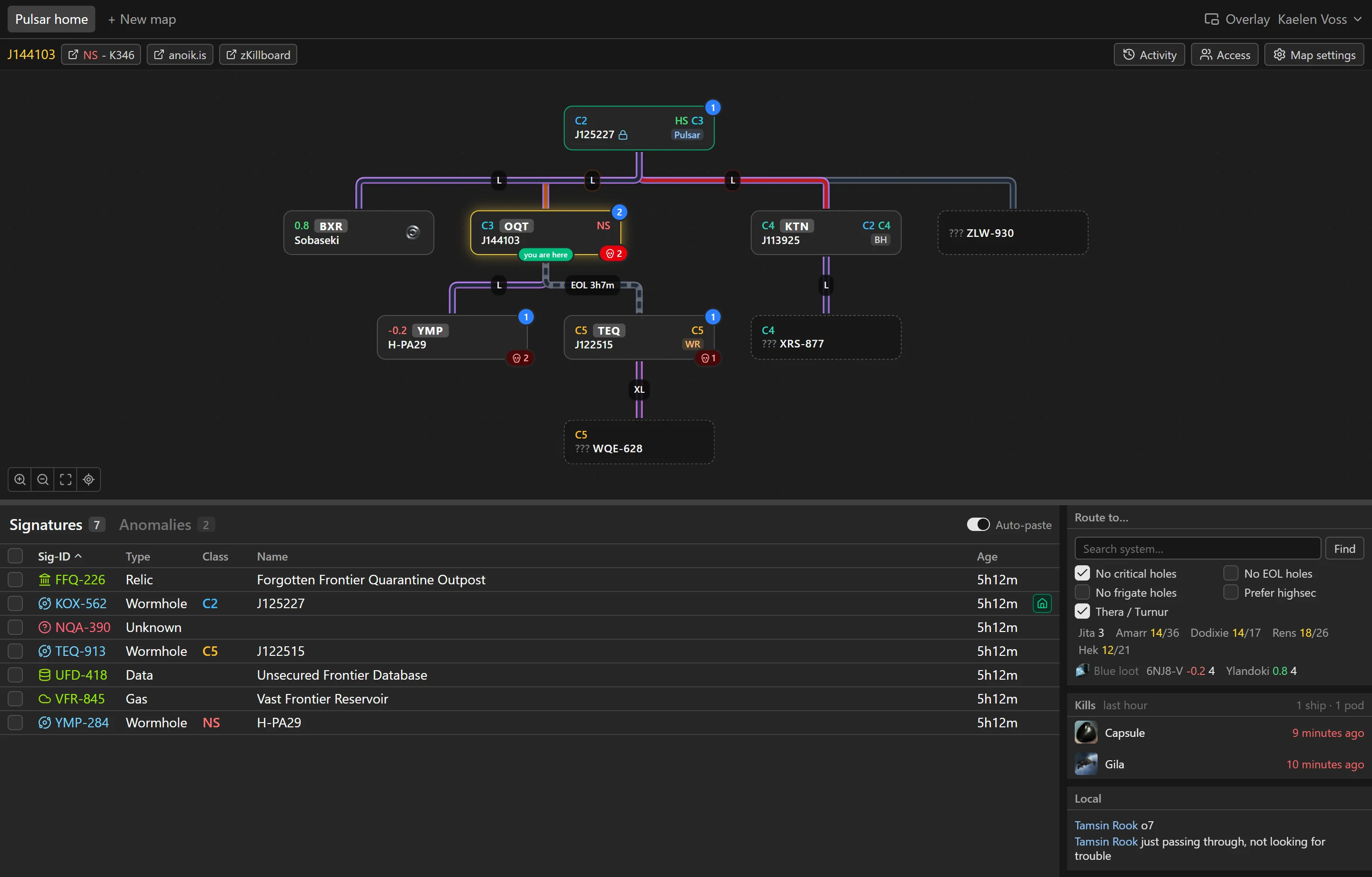
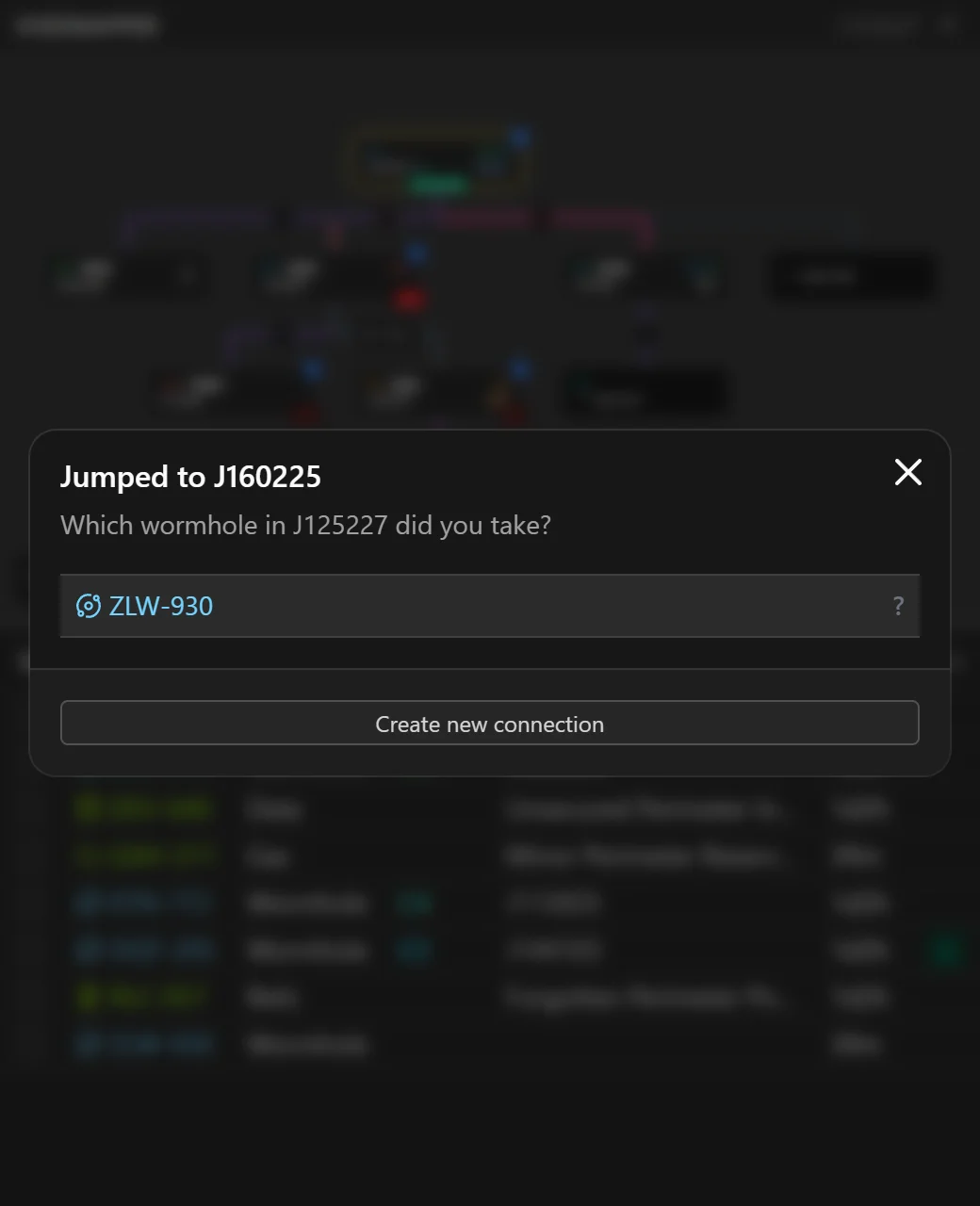
Maps as you fly
- Reads your location from ESI. When you jump through a wormhole it asks which signature you took and draws the connection, or adds a new one.
- When a hole collapses behind you, EVE writes it to your game log. Voidmapper picks that up and asks whether to remove the hole and anything only reachable through it. Undo is there if you change your mind.
- Tick your other characters to show them on the map too, so a scout sitting in another hole is visible while you fly your main.
Signatures
- Select all in the probe scanner, Ctrl+C, and paste into Voidmapper. With auto-paste on, a copied scan is picked up without leaving the game.
- Reads scans from English, German, French and Russian clients.
- A full paste flags signatures that are gone instead of deleting them. You remove them once you've checked.
- Signatures and anomalies on separate tabs, each with its age to the minute and the pilot who scanned it.
- The wormhole type picker lists the system's statics first, then K162, then everything else, with mass and lifetime on each row.
Sharing
- Share a map with characters, corporations or alliances, as viewers or editors.
- Edits show up for everyone on the map as they're made.
- Keep several maps. Owners can rename, duplicate, transfer or delete them.
- Log in several characters and switch between them. Each one reopens the map it had open last.
Holes
- Each connection has its type, mass (stable, reduced, critical), end of life, and the largest ship it lets through. The line on the map shows it: color for mass, dashes for EOL, a label for ship size.
- EOL holes count down. A hole in its last four hours shows roughly how long it can have left, based on when it was mapped and its type's lifetime.
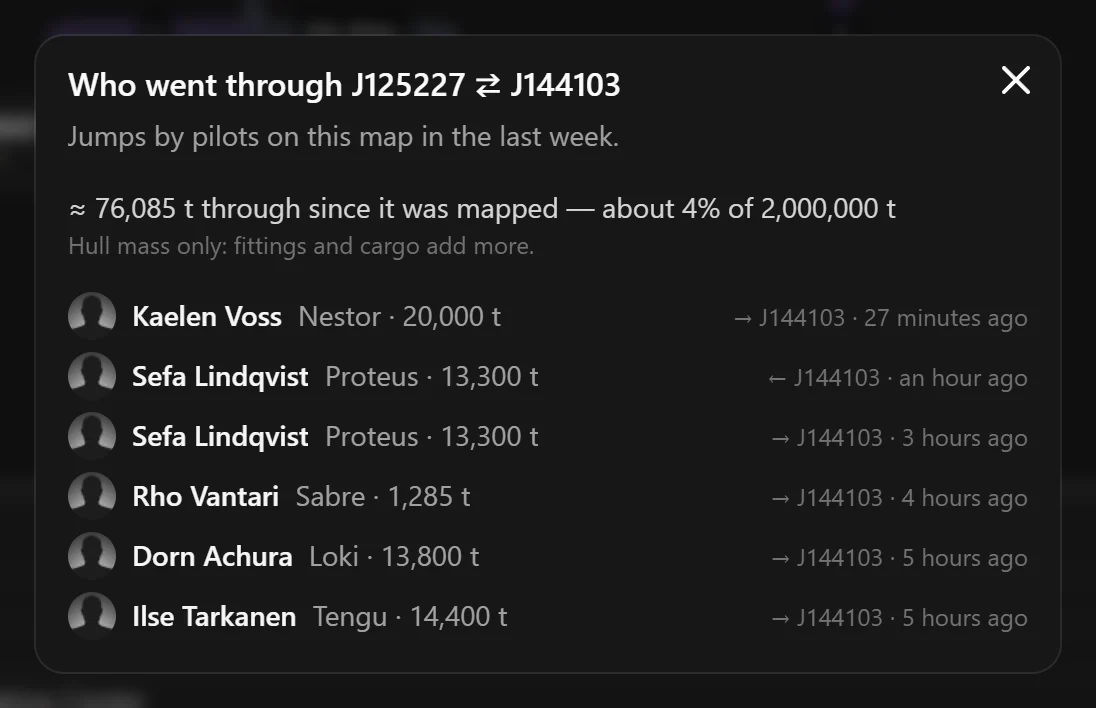
- Every jump through a hole by someone on the map is logged with the hull they flew. Hull masses are added up to estimate how much the hole has taken.
- Lock a system or a connection so nobody removes it by accident.
Systems
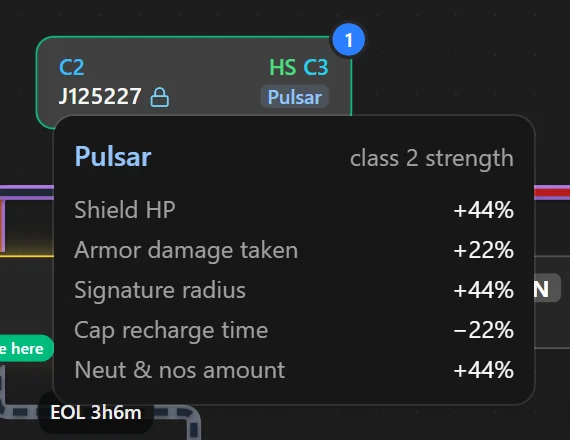
- Class, statics (hover for mass and lifetime) and the wormhole effect with its exact modifiers at that system's strength, taken from CCP's static data.
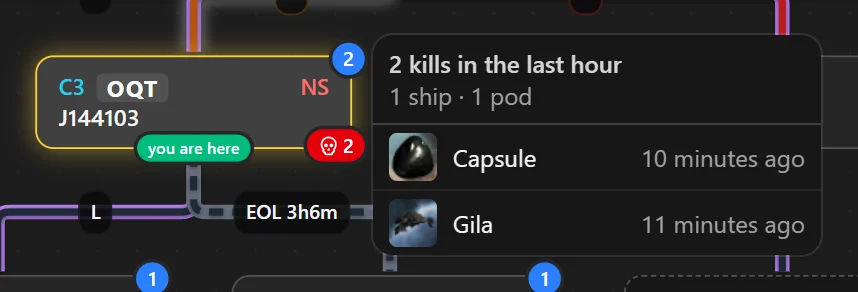
- Kills from the last hour, from zKillboard. The badge goes bright red while the newest one is under 15 minutes old.
- Who from your map is in each system, and what they're flying.
- Local chat from your EVE log files, listed under the system it was said in.
- Comments on systems, and pings: alerts on any system plus one rally point per map, with an optional expiry.
- Links to anoik.is and zKillboard for the selected system.
Routes
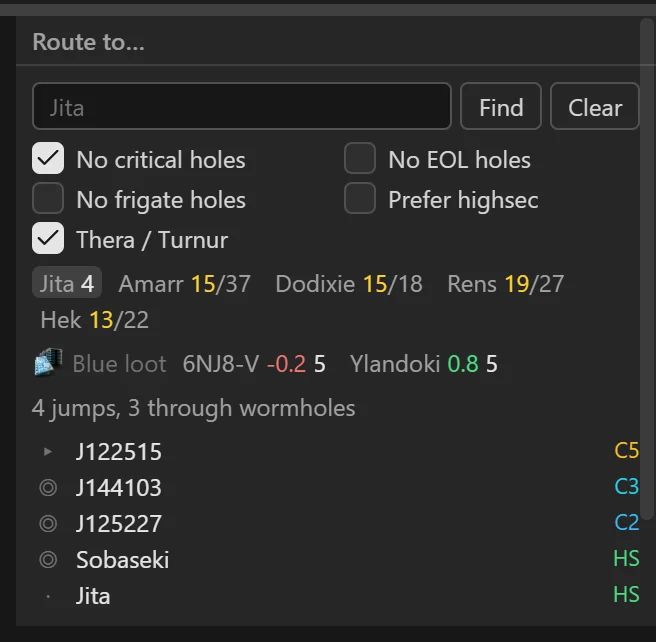
- Route to any system through gates and the chain's wormholes. You can skip critical, EOL or frigate-only holes, or prefer highsec.
- Jump counts from every system on the chain to Jita, Amarr, Dodixie, Rens and Hek: the shortest route, and the highsec one where it's longer. Click a hub to see the route.
- The nearest NPC station that buys blue loot, and the nearest one by a highsec route if that's a different station.
Overlay
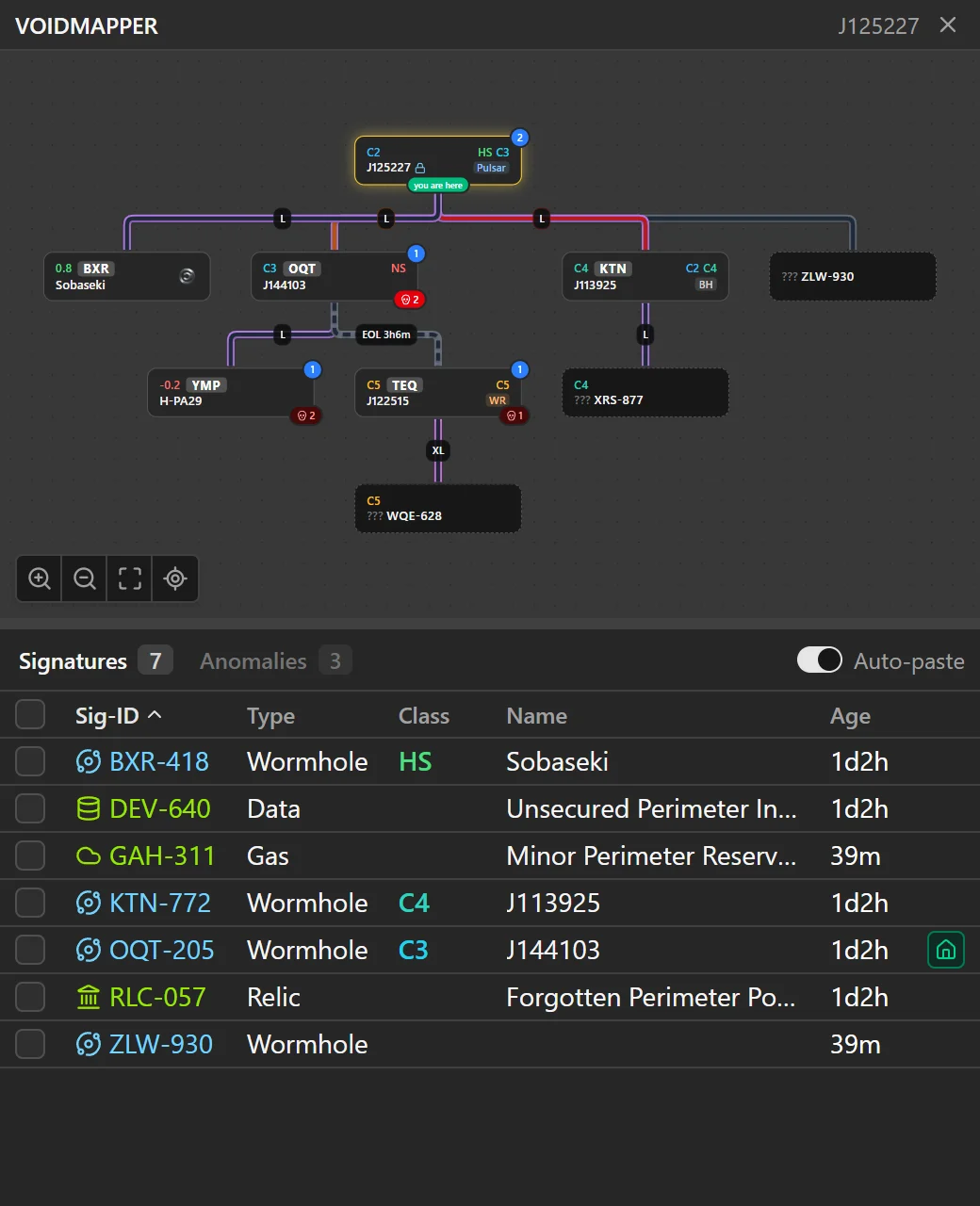
- A small window that stays on top of the EVE client, with the chain and the signatures of the system you're in. Ctrl+Shift+M shows and hides it.
- Paste scans into it, answer jump prompts and set pings without switching windows.
- Auto-paster lets you skip pressing ctrl+v all the time.
Installing
- Windows 10 or 11. Installs for your user only and updates itself.
- The installer isn't code-signed yet, so Windows SmartScreen warns on first run. Click More info, then Run anyway.
- Linux: EVE runs through Steam's Proton or Wine, and Voidmapper finds its logs inside that prefix. Take the .deb on Debian and Ubuntu (on Ubuntu 23.10 and later the AppImage won't start), or the AppImage anywhere else: make it executable and run it. Both update themselves; the .deb asks for your password to install an update.
- You sign in with EVE SSO. Voidmapper asks for three scopes: your location, your current ship, and whether you're online.
- Sign in once and you stay signed in, every character you've added, until you log out or revoke Voidmapper's access in your EVE account.